Understand Quran words,
a little every day.
7 new words a day · smart review · full Quran offline. Android · Education
Free with optional Pro. Reviews and the Quran reader stay free forever.
Everything in the app
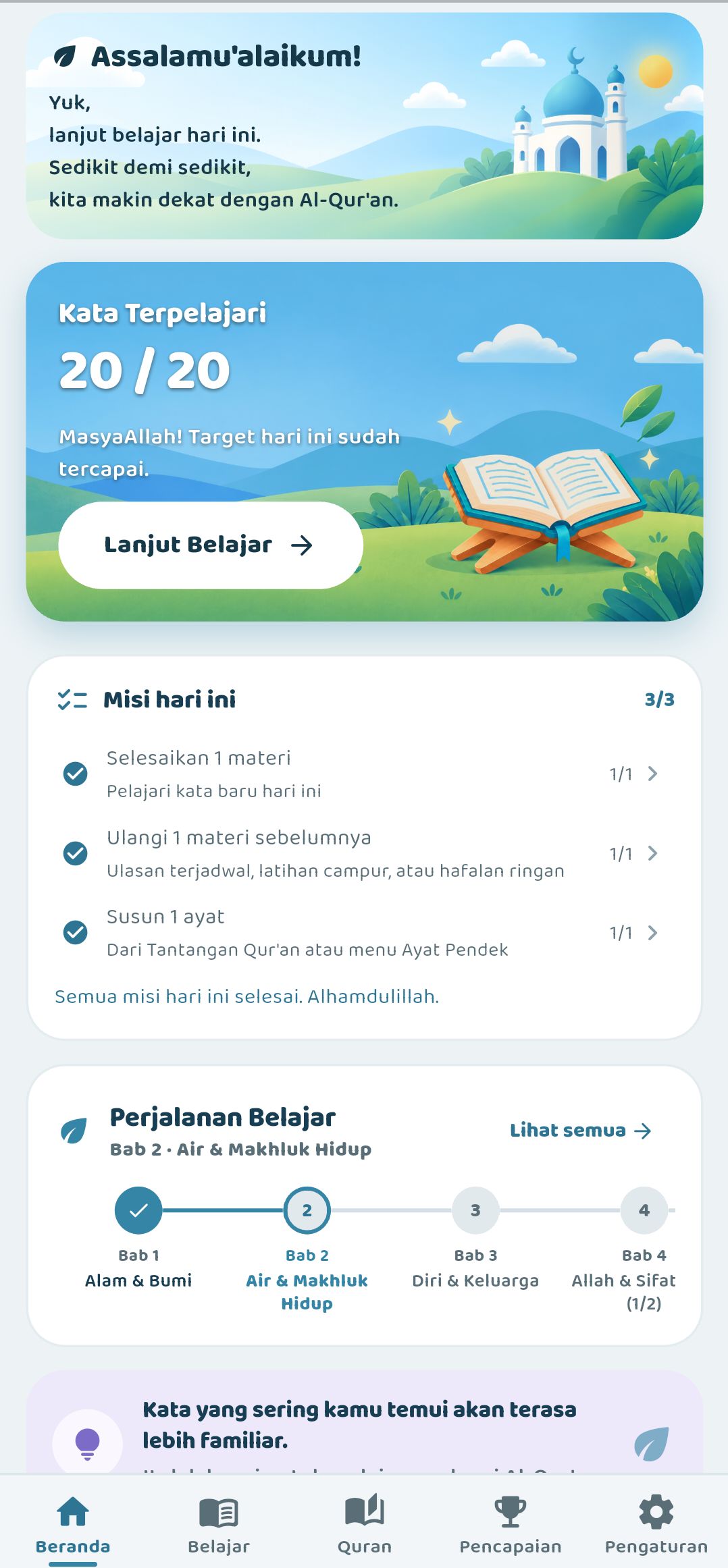
Learn words, then meet them while reading the Quran.
Small daily lessons
7 new words at a time. Each word shows the Arabic, how to read it, and what it means. You choose your daily goal.
Review that sticks, never piles up
The app reminds you of words right before you forget them. Short sessions, never overwhelming.
Full Quran, works offline
Read all 114 chapters without internet, with translation. Save bookmarks, continue where you left off, search, and share verses.
Tap any word
Words you learned light up in the verses. Tap any word to see what it means.
Quizzes and games
Multiple choice, matching pairs, memory cards, and arranging verses. Hard words get extra practice automatically.
From letters to short verses
Start from Arabic letters if you need to. Practice short verses, explore by theme, and learn the Names of Allah.
Stay motivated
Daily goals, points, and streaks. Watch your progress grow week by week.
Built for daily habit
Gentle daily reminders, night mode, and big readable text.
No account needed
Start learning right away. Sign in with Google only if you want backup on another phone.
How it works
Learn 7 words
See each word in Arabic, how to read it, and what it means.
Play and practice
Quizzes, matching, and arranging verses. Hard words come back for extra practice.
Find them in the Quran
Read the Quran — words you learned light up. Tap any word to see its meaning.
Reading that teaches you back
Each verse is easy to read. Words you know are highlighted.
بِسْمِ اللَّهِ الرَّحْمَٰنِ الرَّحِيمِ
Bismi Allāhi ar-raḥmāni ar-raḥīm
1. In the name of Allah, the Most Merciful, the Most Compassionate.
Free vs Pro
Free is enough for daily learning. Pro unlocks the rest — reviews and the Quran stay free.
Free
- Daily lessons and reviews
- Streaks and progress stats
- Full Quran offline reader
Pro
- All lessons and collections
- Extra exams and final challenge
- Backup to another phone
- One-time payment via Google Play
Support
Email us — we reply within 3 business days: admin@kalimah.my.id
Can't sign in ▾
Make sure you are online and your phone clock is correct.
Backup is not working ▾
Backup needs sign-in. Offline learning still works and nothing is deleted.
No daily reminder ▾
Go to Settings → Reminder → pick a time → allow notifications. On some phones also enable Autostart.
Report a problem ▾
Email admin@kalimah.my.id with your phone model, what happened, and a screenshot.
Quran text credits ▾
Quran text, translation, and fonts credits. Full list in the app under Settings.
Delete your data
From the app
Settings → Delete account. Removes everything at once. Cannot be undone.
Via email
Already uninstalled? Email us from your registered address at admin@kalimah.my.id with subject “Delete Kalimah data”. Done within 30 days.
This phone only
Sign out, then clear the app data in Android Settings — or just uninstall.
Privacy Policy
Last updated: September 17, 2026 · Contact: admin@kalimah.my.id
1. Learning works offline. Without sign-in, everything stays on your phone. Uninstalling removes it.
2. If you sign in with Google. We save your name, email, photo, and learning progress — only to back it up to your other phone.
3. Pro payments. Paid through Google Play. We never see your card number.
4. Phone permissions: internet (for sign-in and backup) · notifications (only for daily reminders, if you turn them on) · restart (to restore reminders). No microphone, camera, location, or contacts.
5. No ads and no selling data. No tracking for advertisers.
6. Third parties: Google Sign-In (Google privacy) · Supabase (login and backup) · Google Play (Payments privacy).
7. Security: encrypted connection, your data is locked to your account.
8. Kids: general audience, not made for under-13s; please guide children.